 Kosshi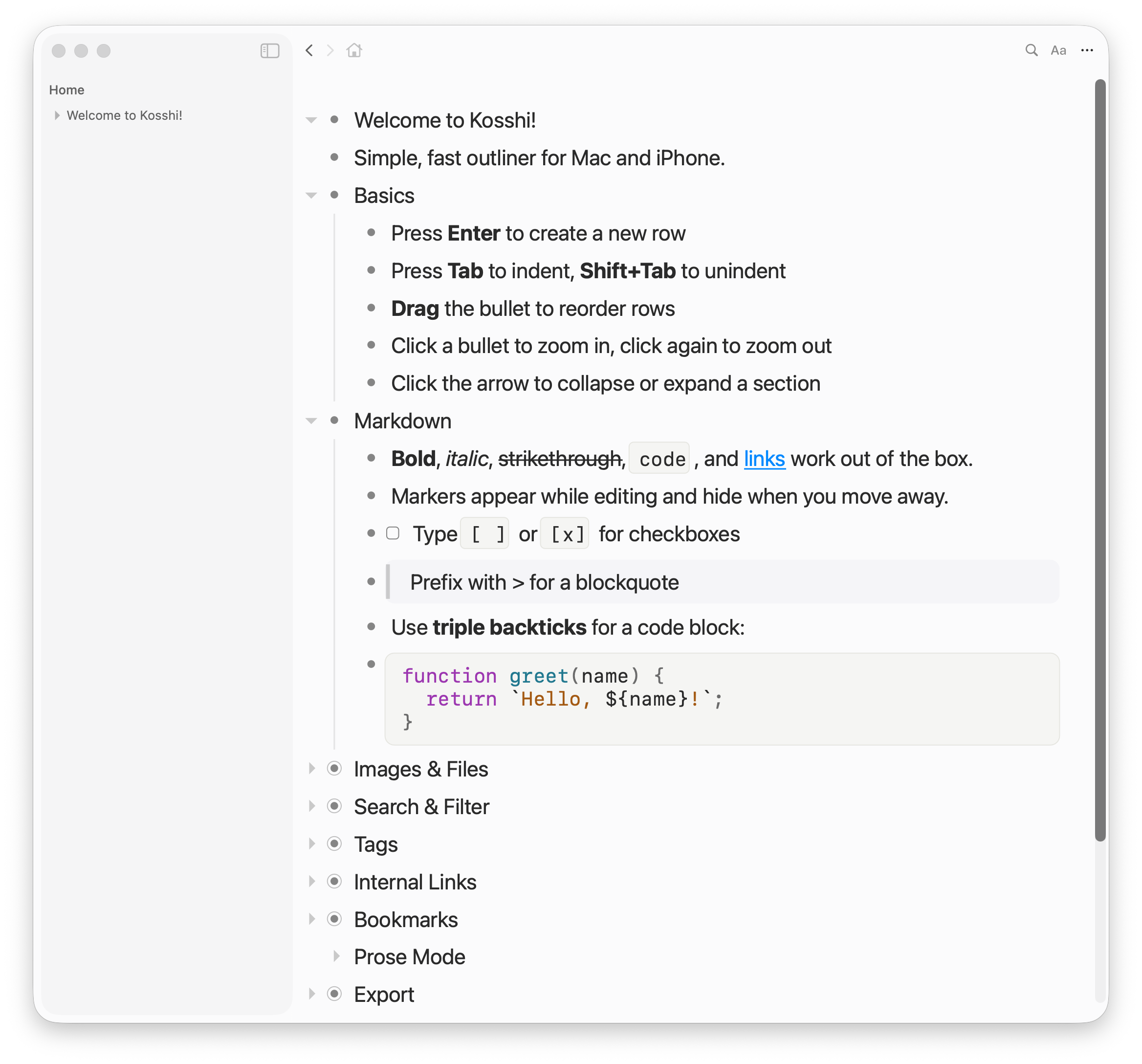


Design
Native app
Built on Apple frameworks with a rendering engine written from scratch. Typing, moving rows, and collapsing respond without delay. An outliner repeats these operations constantly, so response speed shapes how the tool feels.
Read more →iCloud sync and privacy
Data is stored locally on your device. Sync between devices uses Apple's iCloud (CloudKit) — sync data lives in your iCloud account and never passes through a developer server. Without server costs, the app is pay-once with no subscription. No sign-up required.
Read more →
In detail
Outliner
Hit Tab to indent and build a hierarchy. Collapse what you don't need, drag to move things around.
Zoom in
Zoom into any row and only its contents are shown. Breadcrumbs tell you where you are, and you can jump home anytime.
Markdown
Bold, links, checkboxes, and more render right where you type. Formatting markers only appear while editing — move away and they're gone.
Images & files
Add images by pasting or dragging, and resize however you want. PDFs and videos show as inline previews too.
Search
Cmd+F to search your whole outline. Matches get highlighted. Replace works too.
And more
Dark mode
Switch between light and dark themes. Automatically follows your system setting.
Tags
Use #tags to categorize and @tags for dates or status. Filter from the sidebar.
Bookmarks
Press Cmd+D to bookmark a row. Bookmarks appear at the top of the sidebar.
Reminders & Calendar
Any @tag with a date syncs to Apple Reminders or Calendar. Use @todo(3/15), @meeting(every monday 10:00), and so on.
Export
Export as Markdown, OPML, or plain text.
Auto backup
Restore past outlines from daily backups. Feel free to delete outlines you no longer need.
Articles
Outliner
Design