 Kosshi
This feature is in beta, and command names or results may change. Send feedback via Contact or the Forum.
Automating with AppleScript
AppleScript is a scripting language for controlling apps on your Mac. You can create rows in Kosshi and update notes, tags, or completion status. Once a script works, you can trigger it with a single shortcut from Apple Shortcuts, Raycast, Alfred, or other Mac launchers.
Look up commands and arguments
For detailed commands, arguments, and row properties, choose File > Open Dictionary in Script Editor and select Kosshi. You can browse the suites on the left (Standard Suite, Kosshi Suite, Kosshi View Suite) or use the search bar in the top-right corner. See also View an app's scripting dictionary.
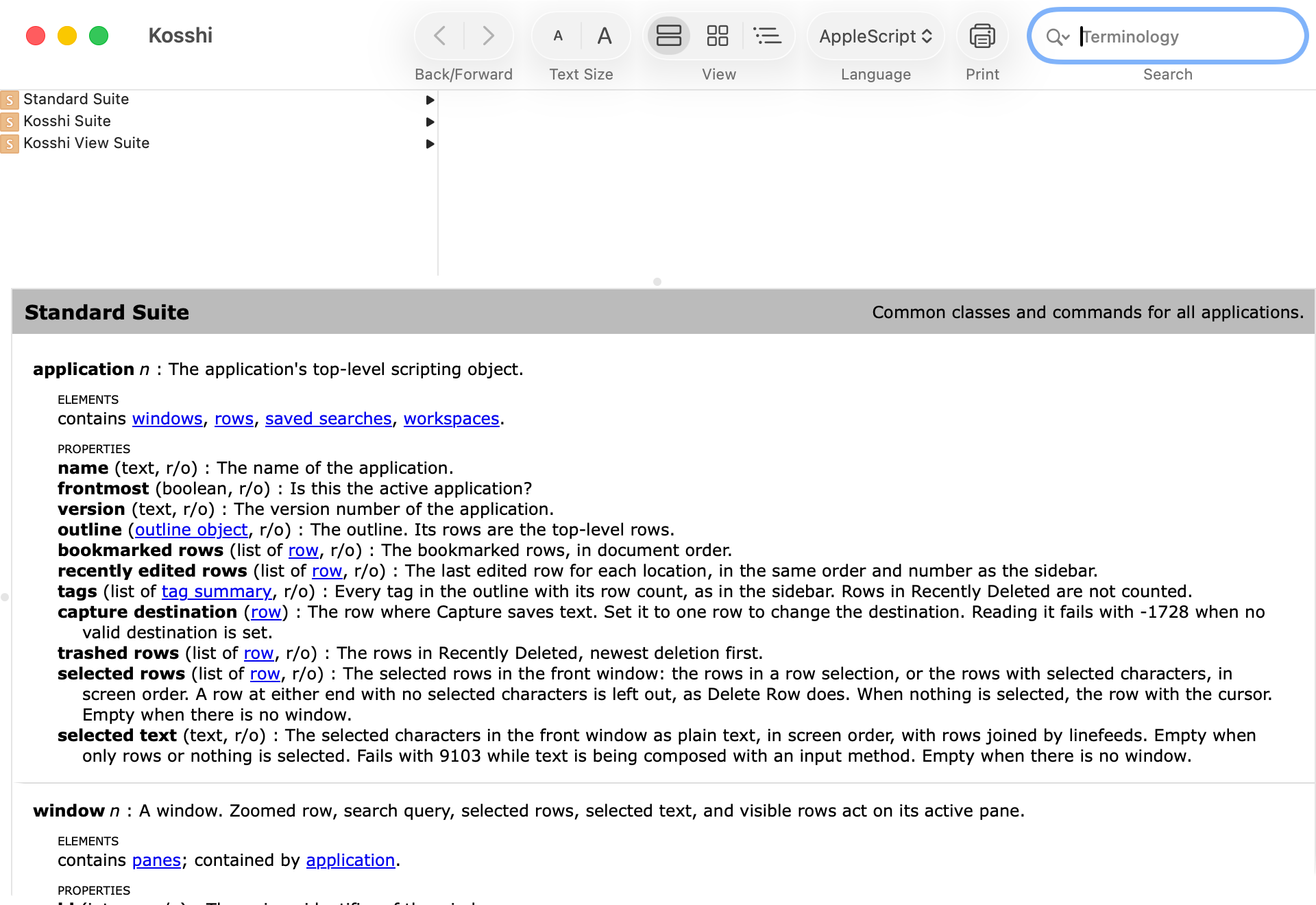
Kosshi's scripting dictionary open in Script Editor
Create a row
Open Kosshi, then open a new document in Script Editor on your Mac and paste and run the following code:
tell application "Kosshi"
    make new row with properties {content:"Buy milk"}
end tell
A "Buy milk" row is added at the end of the outline.
tell application "Kosshi"…end tell: sends the commands inside to Kosshimake new row with properties {content:"..."}: creates a row with the given text
If macOS asks for permission to use Kosshi the first time, grant it. In TestFlight Beta, change the app name to "Kosshi Beta".
Change the row you created
Store the new row in a variable to add a note or mark it complete.
tell application "Kosshi"
    set taskRow to make new row with properties {content:"Call the dentist"}
    set note of taskRow to "Call in the morning"
    set completed of taskRow to true
end tell
taskRow: a variable holding the created row for later commandsnote: the row's note text (set to""to clear it)completed:truefor done,falsefor not done
Choose where to add a row
Pass at to make new row to place the new row inside a specific parent or at the beginning or end.
tell application "Kosshi"
    set tripRow to ensure path {"Travel"}
    make new row at beginning of rows of tripRow ¬
        with properties {content:"First things to check"}
    make new row at tripRow ¬
        with properties {content:"Last things to check"}
end tell
Common at locations (¬ continues a line in AppleScript):
- End of a parent:
at parentRow(for example,at tripRow) - Start of a parent:
at beginning of rows of parentRow(orat beginning of rowsat the top level) - Before or after a row:
at before targetRow/at after targetRow
You can also include note, completed, and other fields in the same with properties record.
Move rows and change them in bulk
Commands match what you can do in the app, and passing a list of rows updates them in bulk (the example below assumes "Travel" has two or more children).
tell application "Kosshi"
    set tripRow to find path {"Travel"}
    set lastRow to get last row of tripRow
    move lastRow to beginning of rows of tripRow
    add tag "prep" to (rows of tripRow)
    replace "book" using "arrange" within tripRow
    collapse tripRow with all levels
end tell
In order, the script above runs these four changes (use indent lastRow / outdent lastRow to shift hierarchy levels):
- Move the last child to the top
- Add
#prepto every direct child - Replace
"book"with"arrange"under "Travel" - Collapse "Travel" along with its descendants
| Command | What it does |
|---|---|
indent / outdent | Indents / outdents (same as Tab / Shift-Tab). Add with keeping reading order to keep reading order, and within to stay under a parent row. |
move | Moves rows with their children to another location (before, after, beginning of rows of, or end of rows of). |
collapse / expand | Collapses / expands. For rows, with all levels also changes descendants. Passing a window changes everything in its current view. |
add tag / remove tag | Adds / removes # tags and @ tags. Accepts values as text, numbers, or AppleScript dates (for example, add tag "@due" value aDate), updating an existing @ tag in place. |
replace | Case-insensitive replace (same as Replace All; notes do not change). |
If a row cannot move, the command changes nothing and fails with an error (9101). One command is undone with one ⌘Z.
See Use cases for ready-to-run scripts and how to trigger them in daily use.